
1. What Is a Construction Program?
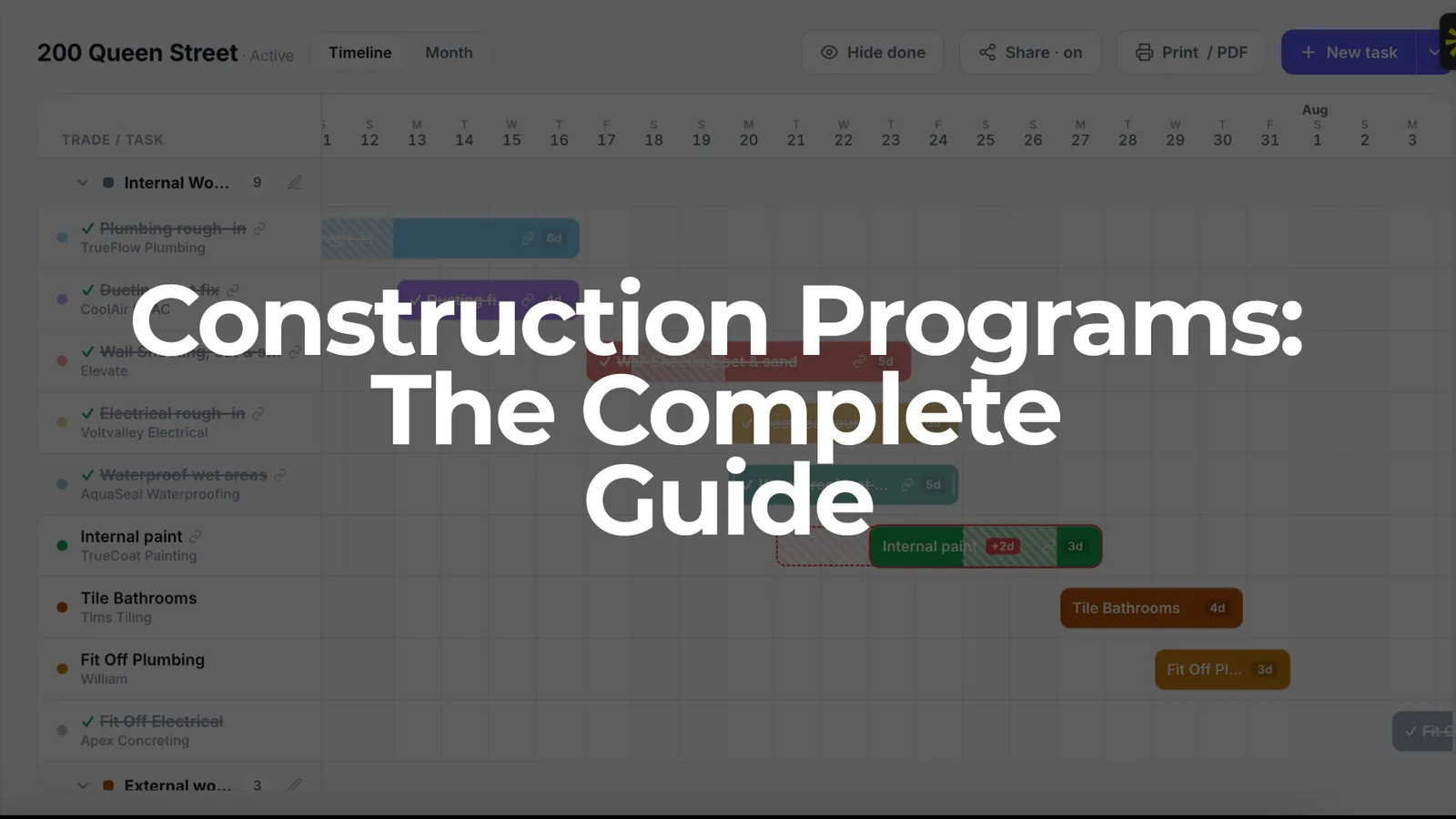
A construction program is a detailed master timetable that maps out sequences and dependencies for every activity on a project, from site setup through to handover. It outlines how a construction project will be executed and delivered, usually presented as a Gantt chart or calendar view.
Here's what separates a real program from a rough sketch on a whiteboard:
- It integrates scope, time, cost, resources, and governance into a cohesive framework rather than listing tasks loosely.
- Key components of a construction program include project scope and objectives, trade allocations, inspection hold points, and milestone dates.
- Dependencies are built in so that when one task moves, linked tasks move with it.
- It accounts for lead times, float, weather buffers, and regulatory approvals.
The construction sector includes residential and commercial buildings, and programs apply across all of them. A house build in Sydney, a shop fit-out in Melbourne, or a road upgrade in coastal NSW all need a program that reflects their specific scope, trades, and constraints.
At SiteCal, we focus on practical, site-ready programs. Not academic planning exercises, but plans that builders and site managers actually use day to day to coordinate trades, track progress, and keep clients informed. Programs also support compliance with contracts, WHS obligations, and council or certifier requirements across Australia.
2. Why Is Construction Programming Important?
A well-built program transforms ambiguity into clarity. An effective construction program should have defined scope, realistic scheduling, and reliable cost planning. Without one, delays stack up, disputes multiply, and cash flow becomes guesswork.
Here are the concrete benefits:
- Delay and dispute reduction. When milestones and dependencies are clear, there's less argument about who is responsible for what and when.
- Improved cash flow. Cost management outlines cash flow projections and payment schedules linked to progress, so you know when payments are due and can order materials just in time, and helps ensure the project is delivered within its approved budget.
- Better trade coordination. A 26-week residential build in Canberra stays on track because framing, rough-ins, and linings are tightly sequenced with no gaps or clashes.
- Safety planning. Health, safety, and environmental management protects workers and the public during construction. Programming avoids stacking multiple high-risk trades in the same confined space on the same day.
- Contractual confidence. A program keeps project information consistent, which is critical when certifiers, banks, or clients need to review progress.
- Monitoring and recovery. Tracking actual progress against the plan lets you spot problems early and act before delays cascade.
Consider that in Western Australia, the average time to complete a new house rose from roughly 6 months to over 16 months between 2019 and 2024 as supply-chain and labour pressures hit — the steepest rise of any state. (See the full breakdown of how long it takes to build a house in Australia, by state and dwelling type.) Builders with strong programs managed those pressures far better than those without.
Good programming is a core skill expected of licensed builders and site managers. SiteCal gives you this benefit without the complexity of Microsoft Project or Procore.
3. Construction Program vs Schedule vs Timeline
These three terms are used interchangeably on most Australian sites, but contracts and software sometimes treat them differently. Understanding the distinctions helps you present the right document to the right audience.
- Construction program: the contractual, high-level time plan submitted to clients, banks and certifiers. It shows major milestones, dependencies and fixed dates.
- Construction schedule: a chronological framework detailing start dates and milestones at a more granular level. Site managers use it week to week to coordinate trades and deliveries.
- Timeline: the visual representation — a bar chart, Gantt, or calendar view — that makes the program understandable at a glance.
A builder with an HIA contract might submit a formal program showing lock-up, plaster completion, and practical completion dates. But day to day, the site manager runs the job from a monthly calendar view in SiteCal, tracking trade assignments and inspections.
SiteCal lets you see the same data as both a Gantt timeline and a monthly calendar, so the label matters less than having one source of truth.
4. Types of Construction Programs
A construction program typically progresses through six phases from initiation to handover, and different program types serve different purposes along the way:
- Baseline program. The original agreed start and completion dates — for example, a 9-month duplex build starting 1 March 2027 with fixed milestones for slab, frame, lock-up and handover.
- Target program. An internally optimised plan used to beat contractual dates and improve margins, assuming ideal conditions and tighter sequencing.
- Short-term or look-ahead programs. Rolling 1- to 6-week forecasts used in weekly site meetings to confirm trade availability, material deliveries and upcoming inspections.
- Recovery programs. Created after delays — for instance wet weather in Sydney during June–July 2027 — to show how completion will still be achieved through re-sequencing or added resources.
- Pre-construction programs. Cover design, approvals, procurement and early works. Especially relevant for civil engineering and commercial projects with long lead times.
SiteCal supports these types through baselines, updated program versions, and filters that let you generate a 2-week look-ahead from your full program.
5. How to Create a Construction Program, Step by Step
Building a program is a practical, procedural exercise. Here's how to do it:
- Step 1: Define project scope and milestones. Lock in fixed dates like contract start, frame inspection, lock-up, PCI and practical completion. A work breakdown structure deconstructs the overall project into manageable packages of work, making this step easier.
- Step 2: Break the job into stages and activities. Site establishment, slab, frame, roof, rough-in, linings, fix-out, fit-off, defects.
- Step 3: Estimate realistic durations. Use past project data — for example, brickwork on a standard 4-bedroom home in outer Melbourne typically takes 5 working days. Resource planning determines the people, equipment, materials and facilities required.
- Step 4: Sequence activities logically. Note where work can be overlapped without causing rework or safety issues. Resource allocation details the deployment of labour, materials, equipment and subcontractors.
- Step 5: Add dependencies. Internal painting cannot start until plaster is sanded and undercoat is complete. Include specific lead and lag times, like 24 hours for waterproofing to cure before tiling.
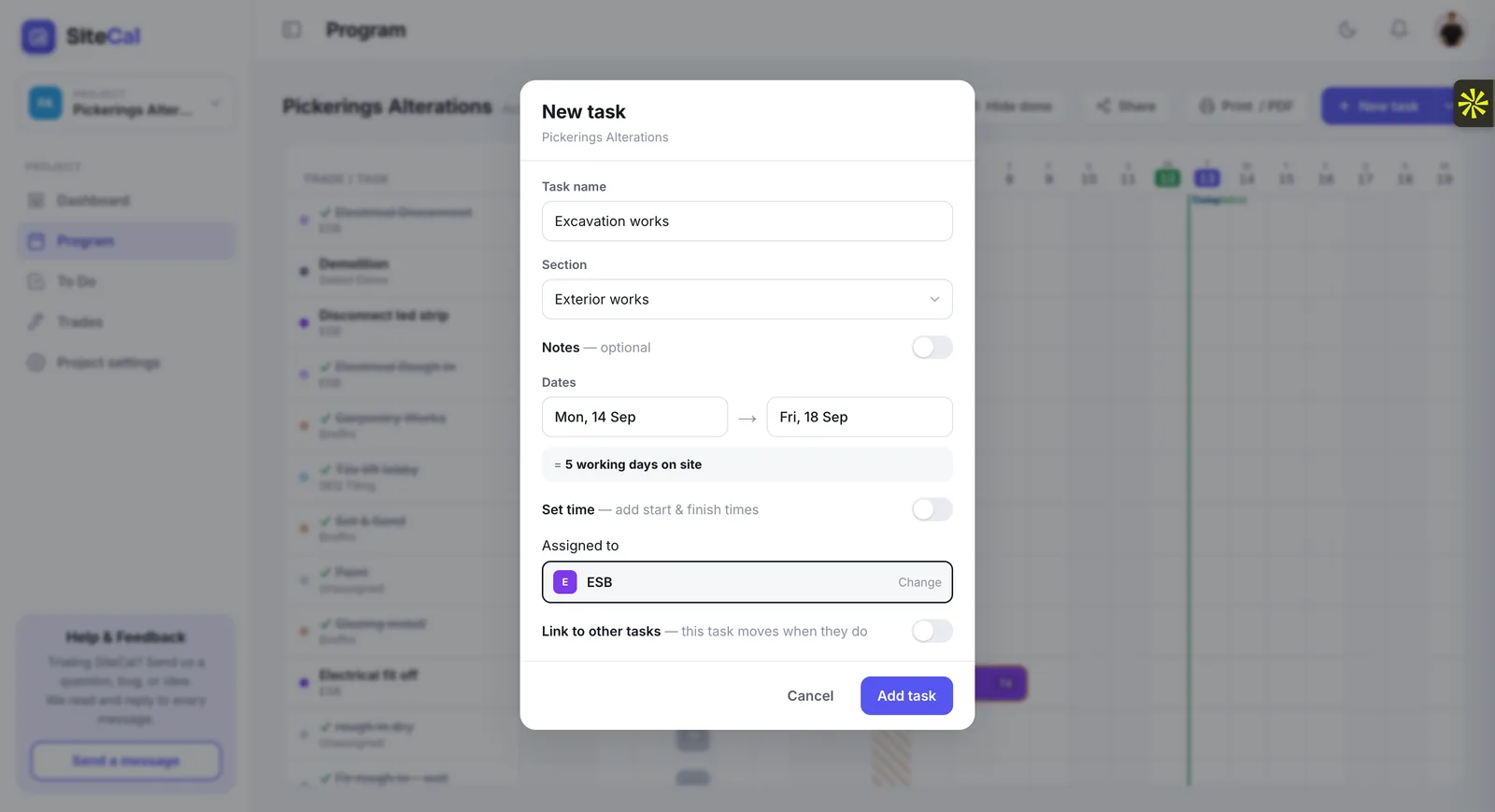
- Step 6: Allocate trades and resources. Assign electricians, plumbers, tilers and cabinet makers. Contact key subcontractors early to confirm availability.
- Step 7: Choose your format. Enter tasks into software like SiteCal rather than static spreadsheets. A Gantt view shows dependencies; a calendar view helps with daily coordination.
- Step 8: Review and adjust. Walk through the draft with your supervisor or project manager. Adjust to fit contractual completion dates and client constraints.
Programming skills and formal qualifications, such as a Certificate IV in Building and Construction, help produce better programs through a deeper understanding of trade capacity, inspection processes and regulatory hold points, and a traineeship can also provide a practical pathway to learning these skills on the job.
For a detailed walkthrough, see How to Create a Construction Program.
6. Construction Activities and Trade Sequencing
Getting the trade sequence right is where programs either work or fall apart. A typical sequence for a single-storey house in NSW runs:
- Survey and set-out, site establishment
- Excavation, footings, slab
- Framing, trusses, roofing
- Windows, external doors, weatherproofing
- External walls (brick, cladding, render)
- Rough-ins: electrical, plumbing, HVAC
- Internal linings, insulation
- Waterproofing, tiling, floor coverings
- Cabinetry and joinery
- Painting (internal, external)
- Fit-off, fixtures, appliances
- Final inspections, defects, handover
Procurement establishes how the project will obtain necessary contractors and materials, especially for items with long lead times like custom cabinetry or engineered timber. Quality assurance sets the standards and testing milestones required throughout the build, helping ensure compliance with approved drawings and standards.
Critical inspections (slab, frame, waterproofing, final) are hold points where work cannot proceed without sign-off. Trades that often clash if programmed poorly include painters and tilers in bathrooms, and electricians and plasterers during rough-in and lining stages. A commercial fit-out in Canberra CBD might also need noisy-work windows, night-works scheduling and landlord approvals built into the sequence.
SiteCal's coloured trade assignments help site managers instantly see overlapping trades on daily or weekly calendars, so clashes are spotted before they cause problems on site.
For more, read Construction Trade Sequencing: How to Schedule Trades.
7. Task Dependencies and the Critical Path
Decisions in one area affect the whole project, and dependencies are the mechanism that makes this happen.
- Finish-to-start is the most common: tiling cannot start until waterproofing has cured for 24 hours.
- Start-to-start means tasks begin together, such as external rendering and internal undercoat painting once the building is weather-tight.
- The critical path is the longest chain of dependent tasks with zero float. It determines overall project duration — any delay on the critical path delays handover.
- Concrete example: on a 20-week program, if roof completion is delayed by two weeks, rough-in, insulation, plasterboard and all internal trades shift back. Without buffer, the completion date moves.
- Non-critical tasks like landscaping or external painting have float and can absorb minor delays without affecting the end date.
Spreadsheet programs make dependency management manual and error-prone. When one date changes, you're updating cells across multiple tabs hoping nothing breaks. SiteCal updates linked tasks automatically when changes occur, instantly showing the impact on the critical path and completion date.
For a fuller explanation, see Construction Critical Path: A Guide for Builders.
8. Construction Program Example (Annotated)
Consider a 32-week construction program for a two-storey, 4-bedroom home in outer Brisbane starting 5 February 2027. Key milestones with indicative weeks:
- Week 4: Slab complete (early March)
- Week 9: Frame and roof (mid-April)
- Week 13: Lock-up / weather-tight (early May)
- Week 18: Plaster complete (mid-June)
- Week 21: Tiling (early July)
- Week 23: Cabinetry (mid-July)
- Week 31: PCI (late January 2028)
- Week 32: Handover
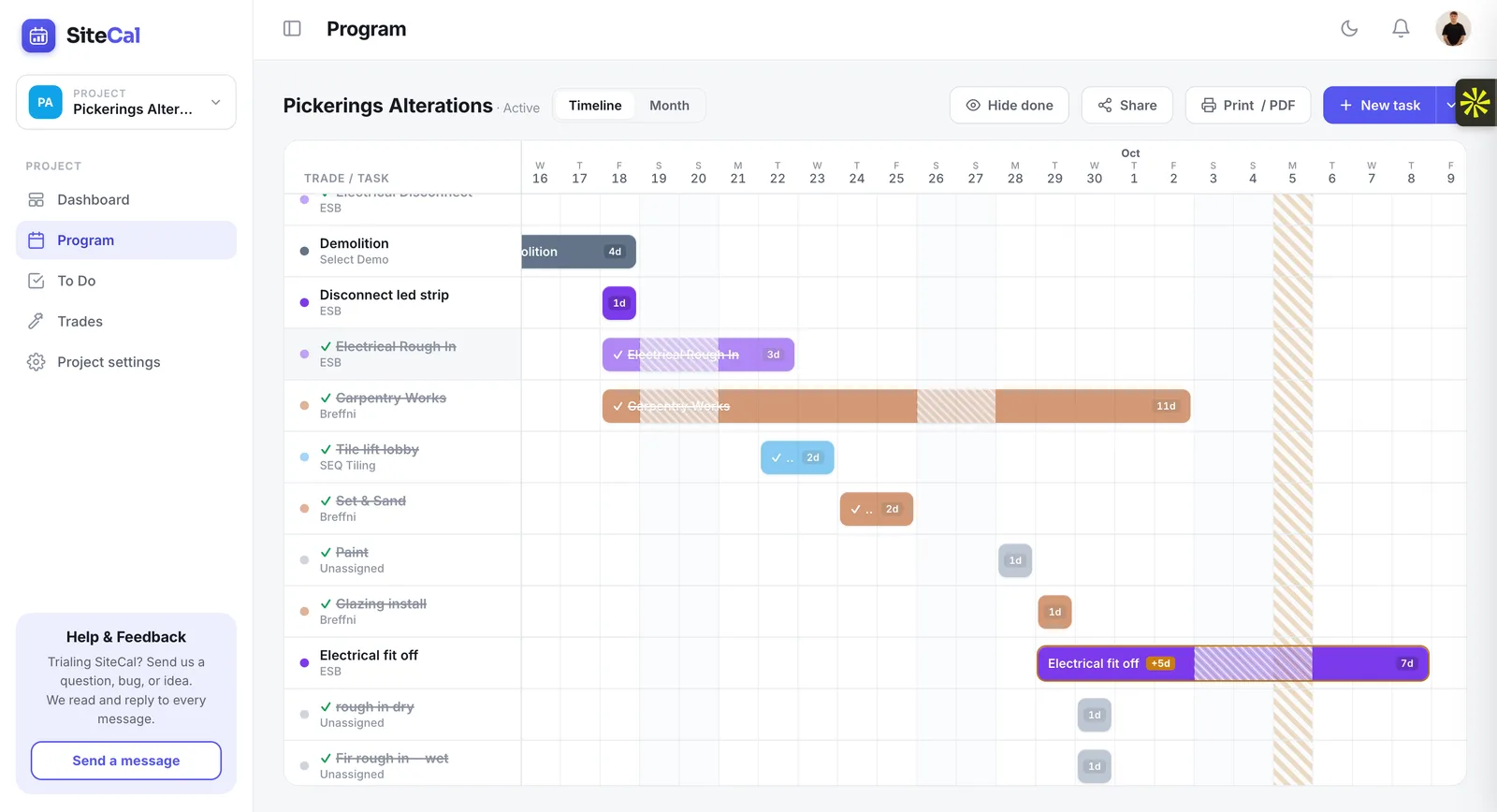
In the Gantt view, you'd see overlapping trades like external render and internal painting running in parallel after lock-up, with buffer weeks built in for Brisbane's wetter months. A monthly calendar view for May 2027 would show specific trade assignments each day: rendering Monday to Friday, plumbing rough-ins mid-week, a coordination meeting Thursday, and the electrician and painter scheduled on alternate days to avoid clashes.
Progress tracking works by marking tasks complete in SiteCal. If external cladding ran three days late due to weather, the program shows "-3 days" behind baseline. After re-sequencing non-critical tasks and doubling up on the cabinetry crew in Week 24, the job moves from 5 days behind to 2 days ahead. The updated program can be exported and shared with clients and subcontractors without them needing a SiteCal licence or login.
9. How to Monitor Progress and Manage Delays
A construction program is only useful if it's treated as a living document, not a PDF that sits in a drawer after the tender is won.
- Weekly reviews. The site manager compares actual progress against the program and updates task status. Project controls provide the systems needed to measure actual performance against the approved program.
- Common delay causes. Research from UTS identified 83 causes of delay across Australian construction, including wet weather, material shortages, trade no-shows, design changes and approval hold-ups.
- Recording delays. Document cause, duration and responsible party to support extension-of-time notices under standard contracts. A risk management plan identifies potential bottlenecks and safety hazards with mitigation strategies.
- Re-sequencing. Move non-critical tasks forward to absorb delays. When delays are significant, create a formal recovery program.
- Communication. A communication plan establishes reporting lines and documentation procedures. Share updated programs with trades and clients so everyone understands revised dates.
SiteCal's "days ahead/behind" metric gives an instant snapshot of job health across multiple projects from a single dashboard.
For more, read How to Update a Construction Program and Manage Delays.
10. Construction Programming Tools and Software
Your choice of tool shapes how effectively you can build, maintain and share a program.
- Paper and Excel. Low cost but high risk. When dates move, dependencies break silently, and version control is a nightmare across multiple projects. SiteCal vs Excel →
- Enterprise platforms. Microsoft Project and Procore offer powerful scheduling, earned value management and large-scale stakeholder tracking — but they're expensive and often overkill for small to mid-sized builders. SiteCal vs Microsoft Project →
- Buildxact. A mid-market option popular in Australia. It generates schedules automatically from estimates and integrates with accounting tools like Xero and QuickBooks, so it leans towards estimating and job management. SiteCal vs Buildxact →
- Wunderbuild. Another Australian all-in-one for home builders, covering estimating, selections, invoicing and scheduling in one platform. SiteCal vs Wunderbuild →
- SiteCal. Australian construction scheduling software built for builders and site managers. SiteCal offers Gantt timeline and monthly calendar views, auto-updating task dependencies, trade colour-coding, progress tracking and ahead/behind indicators, with multi-project views that let teams filter jobs by location. Subcontractors and clients never need a paid seat — programs can be shared via a simple link. See plans and pricing, each with a free 14-day trial.
11. Common Construction Programming Mistakes
Even experienced builders fall into these traps:
- Underestimating durations for critical trades like bricklaying, tiling and joinery, leading to optimistic completion dates that are never met.
- Ignoring lead times for materials such as windows, custom cabinetry and engineered timber, and not programming order dates early enough.
- Skipping weather contingencies, especially for external works during wetter months like June to August in coastal NSW and QLD.
- Overlapping incompatible trades (painters and floor finishers in the same room), causing rework and quality issues.
- Not updating the program when site conditions change, leaving the document out of date and useless for decision-making.
- Using tools without dependency logic, so changing one date silently breaks every downstream task.
- Writing programs for the client that look polished but don't reflect how crews and subcontractors actually work on site.
SiteCal's automatic updates and visual trade-overlap detection help builders avoid many of these pitfalls without spending hours manually recalculating.
12. Frequently Asked Questions About Construction Programming
What size projects need a formal program? Anything longer than about four weeks, including renovations, extensions and small civil jobs. If multiple trades and inspections are involved, a program saves time and prevents confusion.
Do I need a formal qualification? Not strictly, but training such as a Certificate IV in Building and Construction improves programming skills, and choosing a registered provider matters if you want a certificate pathway. That said, many site managers learn programming through practical experience and industry resources.
How often should the program be updated? At least weekly, and whenever a material delay, major variation or weather event occurs.
Should clients see the full program? Typically clients see a simplified milestone version, while subcontractors get the detailed view relevant to their trades. SiteCal supports both approaches through its sharing features.
How do I handle weather delays and EOT claims? Record the delay, show its impact on the critical path using your program, and submit the claim per your contract terms. Without a program showing dependencies, EOT claims are often rejected.
Can SiteCal replace Excel? For small to mid-sized builders who mainly need scheduling, tracking and sharing, yes. You get dependency logic, progress tracking and communication tools that spreadsheets simply cannot provide.
Conclusion: Build a Program That Works on Site
A good construction program is practical, realistic and kept up to date. It's not just a document you present at tender time and forget.
- Understanding activities, trade sequencing, dependencies and the critical path is what helps you deliver projects on time and on budget.
- Programming is a core management skill for modern builders and site managers in Australia, in demand just as much as estimating and contract administration.
- The range of benefits, from better cash flow to fewer disputes, makes programming one of the highest-value things you can spend time on.
Ready to build a program that actually works on site? Try SiteCal's Australian-made construction programming software with the free 14-day trial and find out how a calendar-first approach changes the way you plan and run jobs.
The full series
Guides that go deep on parts of this one. Each links back here.
How to Create a Construction Program
Build one from a blank page, step by step.
Construction Trade Sequencing
The order trades go in, and why it matters.
The Construction Critical Path
The tasks that control your finish date.
Updating a Program & Managing Delays
Keeping it true when the job moves.